How to Put Two People Together in a Photo (5 Free AI Tools & 2026 Guide)
Updated: April 2026
Have you ever looked at two separate photos and wished you could merge them into one perfect moment? Maybe it's a long-distance partner you miss, a family member who couldn't make it to the reunion, or a late loved one you wish was still in the frame.
In the past, putting two people together in a photo required expensive Photoshop experts or resulted in "fake-looking" collages with visible seams and mismatched lighting.
But in 2026, AI has changed the game.
In this comprehensive guide, we’ll explore the top 5 tools available today, provide step-by-step tutorials for each, and share the exact AI prompts you need to combine two photos in one frame seamlessly.
No credit card required · Instant Preview
Top 5 Tools to Put Two People Together in a Photo (With Tutorials)
The tools below are listed in no particular order. We ranked them based on 2026 real user feedback and overall fusion quality. If you are wondering how to combine two people into one photo, here is a complete breakdown of the best AI tools and traditional editors available today.
1. ImageCombiner AI (Specializing in seamless people and face merging)
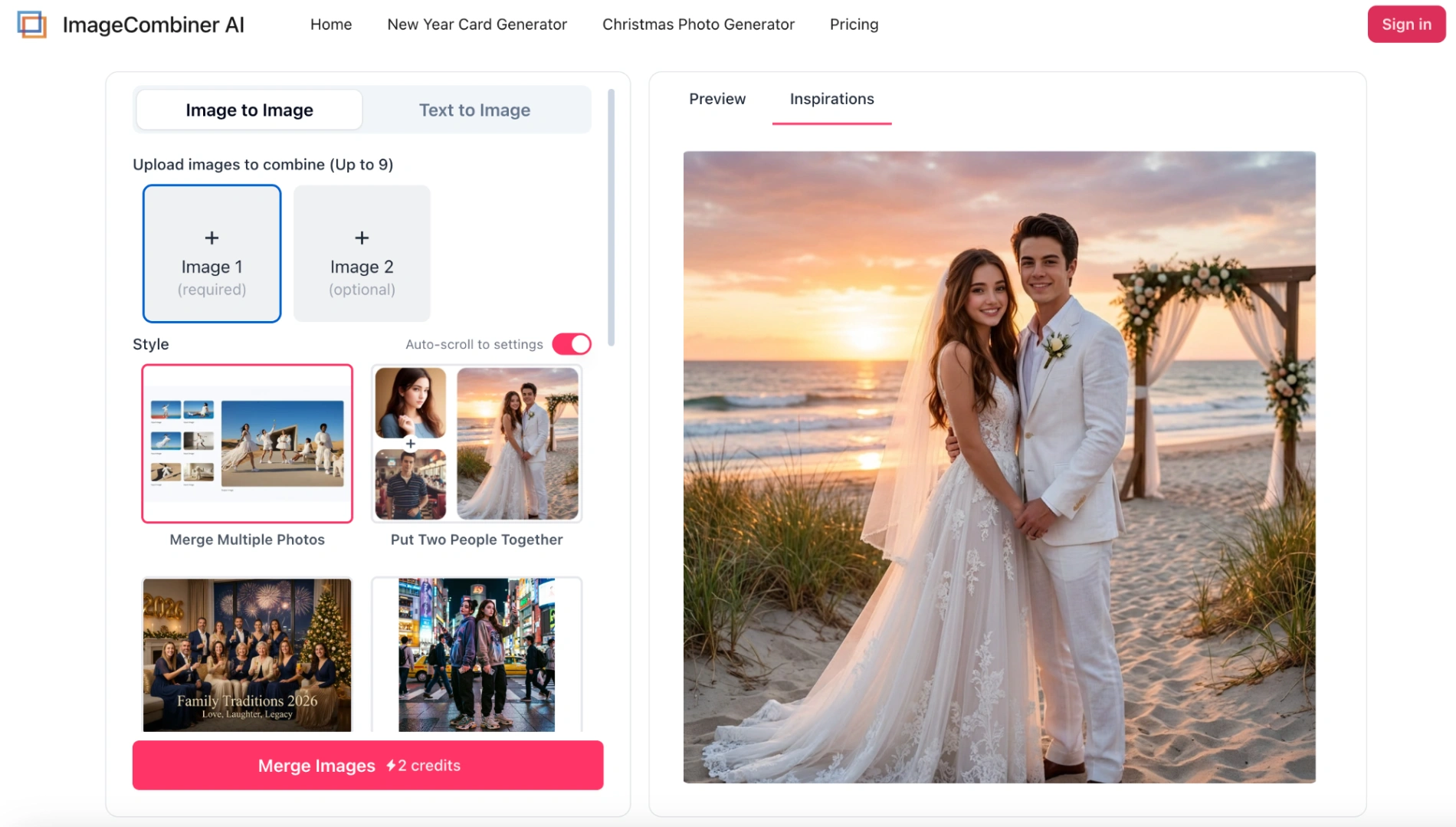
ImageCombiner AI is one of the fastest and most realistic tools on this list. Designed specifically for merging people and faces natively, it doesn’t just paste photos side-by-side like a traditional collage app; instead, it uses an advanced depth-mapping engine to automatically match lighting, shadows, and perspective.
Best for: Creating hugs, kisses, family reunions, or memorial photos with zero technical skills.
Step-by-Step Masterclass:
- Step 1: Prep & Upload Your Source Photos
Navigate to the ImageCombiner AI workspace. Click the upload area to drop in your two separate photos.
💡 Pro Tip: For the absolute best results, try to select photos where the subjects are not heavily cropped (e.g., both are visible from the waist up) and are in somewhat similar resolutions. - Step 2: Choose Your Scenario Template (The Secret Sauce)
Unlike other tools where you have to manually drag elements, ImageCombiner AI uses pre-trained relationship models. Select the "Put Two People Together" template for couples, or the "Family & Memories" template for group shots. - Step 3: Define the Interaction via Prompt (Optional but Powerful)
Want them holding hands? Hugging? Looking at the sunset? Simply type a short description in the prompt box (e.g., "Couple walking hand in hand in a snowy forest"). The AI reads this to understand exactly how the two bodies should interact. - Step 4: Smart Generation & 4K Export
Hit generate. Behind the scenes, the Smart Lighting Match engine recalculates the light source so both people look like they were photographed in the exact same environment. Wait just a moment, your image is ready to download in stunning 4K Ultra-HD.
2. Adobe Photoshop (Best for Professionals)
Photoshop remains the industry standard. You can put two people together using either manual layers or the new AI Generative Fill.
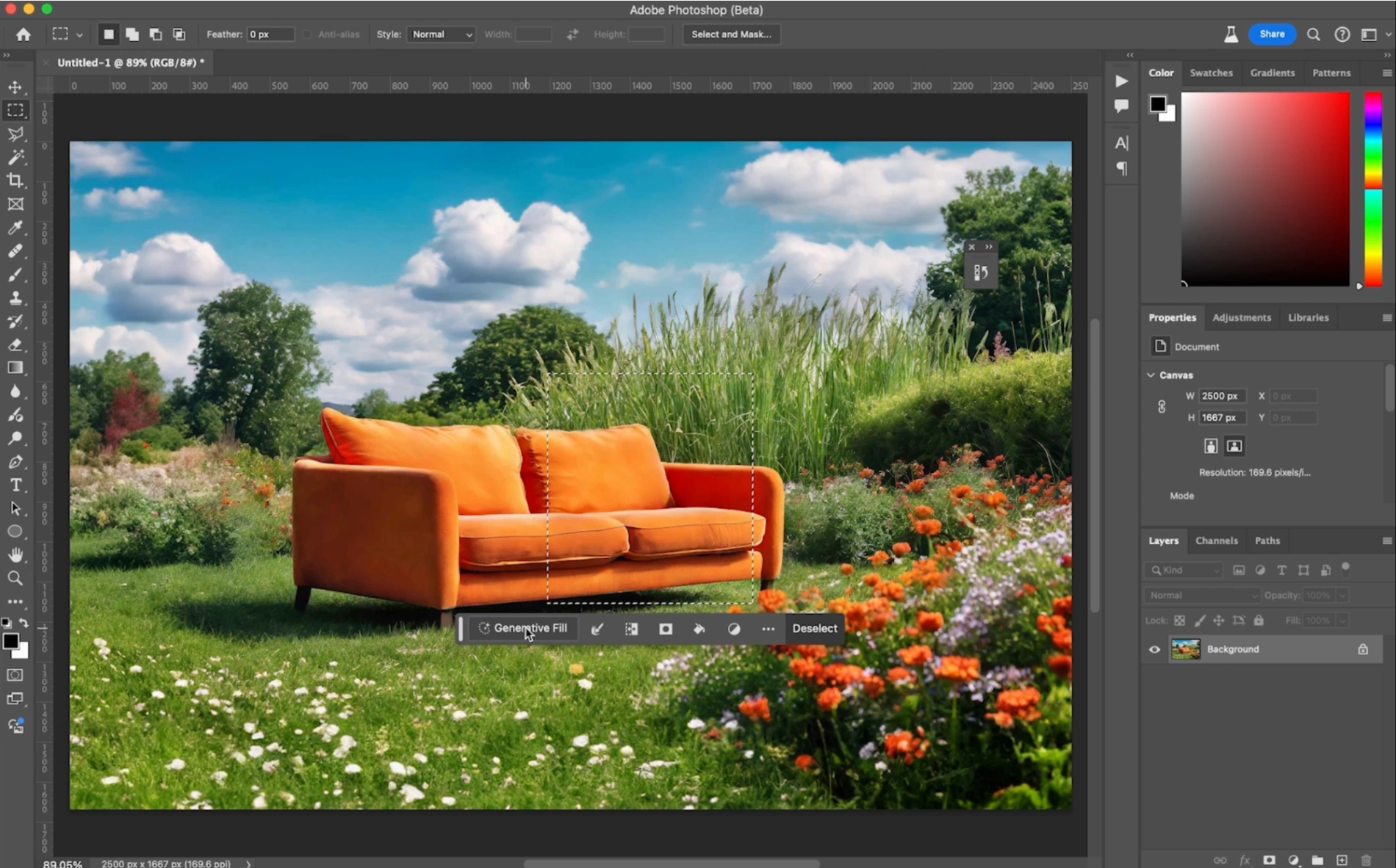
- How to combine people in Photoshop (AI Method):
- Drag the new person onto the background image.
- Use the marquee tool to make a selection around the person.
- Click Generative Fill and type a prompt like "photorealistically composite this person into this image".
- How to combine people manually:
- Use the Select Subject tool to isolate the person.
- Use the Move Tool to drag them into the target photo.
- Press
Ctrl+T(Free Transform) to resize and position. - Match lighting using Image > Adjustments > Curves, then select both layers and use Edit > Auto-Blend Layers for a seamless result.
3. Canva (Good for Manual Editing & Collages)
Canva is incredibly popular for basic photo editing. While it doesn't generate new poses, it's great for placing two people in the same background.
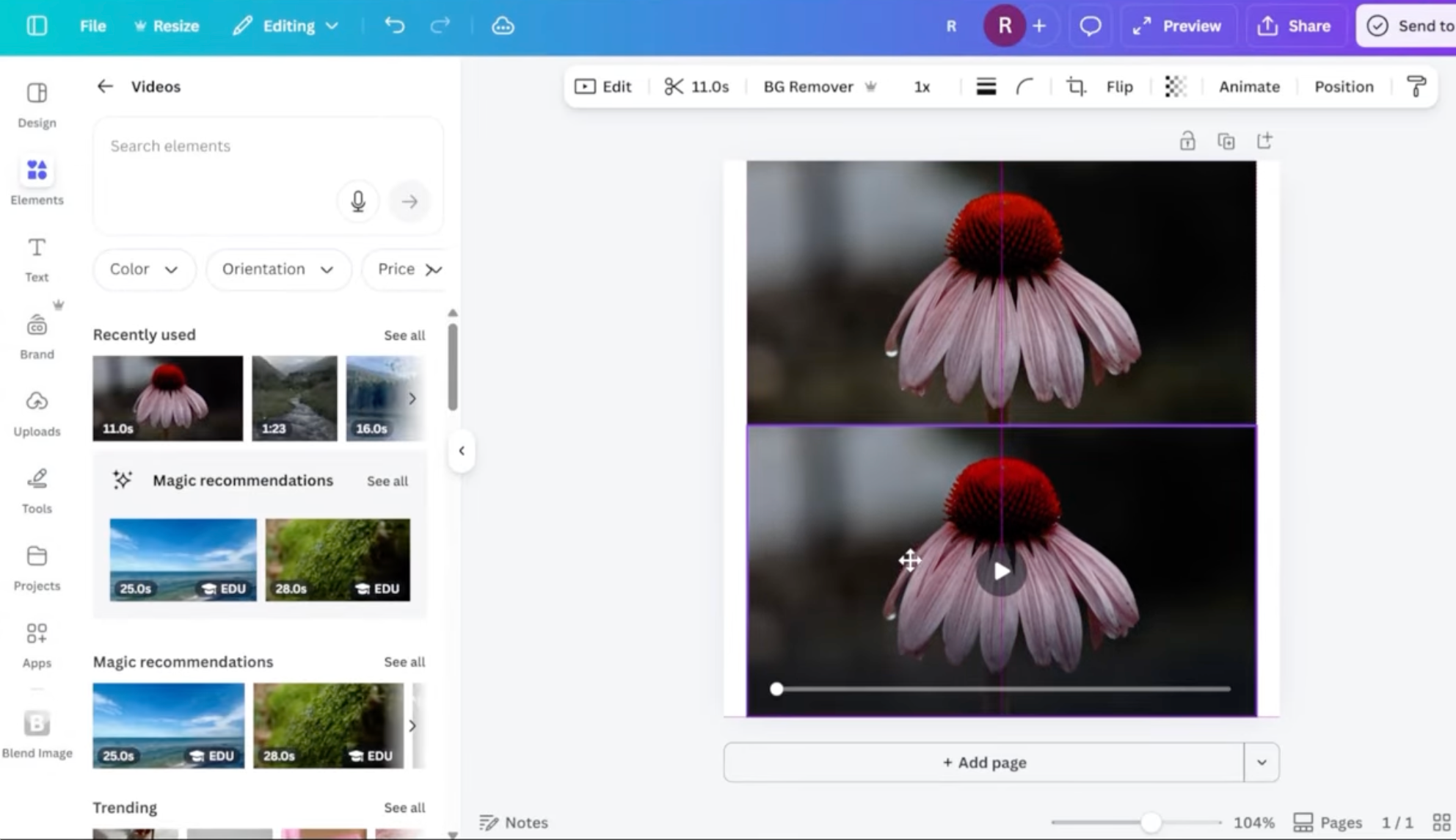
- How to put two people together in Canva:
- Upload both photos and drag them onto your canvas.
- Select the top photo (the person you want to add) and use the Background Remover (Note: requires Canva Pro).
- Resize and position the isolated person onto the background.
- Select the person layer, click Edit photo, and use the Adjust sliders (brightness, contrast, saturation) to match the background lighting.
- (Optional) Use the "Image Blender" app in the sidebar to soften the edges.
4. Fotor (Versatile AI & Collage Maker)
Fotor offers multiple ways to merge photos, from side-by-side collages to AI-powered scene generation.
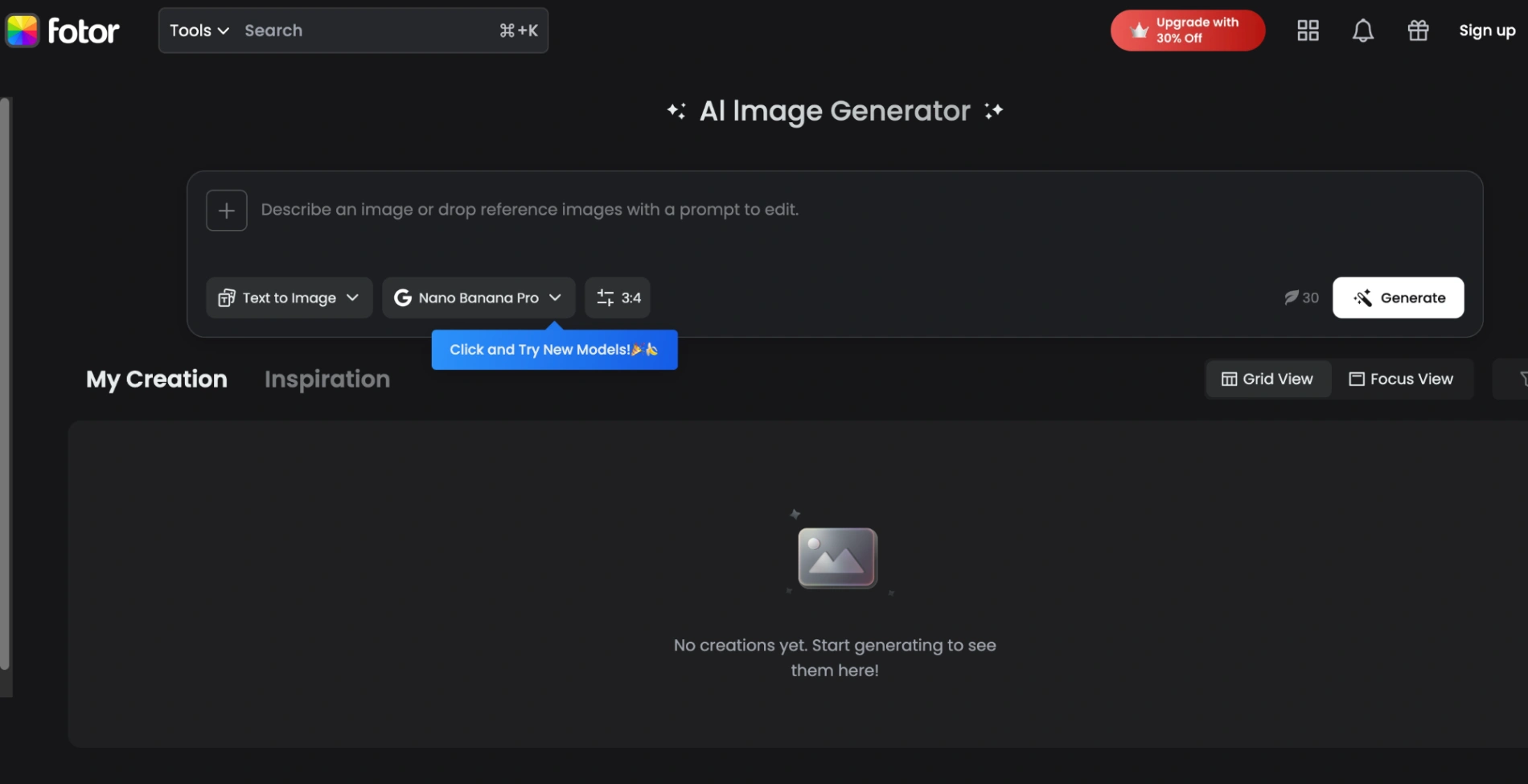
- How to put two people together in Fotor (AI Method):
- Open Fotor's AI Image Generator.
- Upload your two photos and use the Inpainting/Outpainting tool.
- Type a prompt like "put person A next to person B in a park" to generate a new combined scene.
- Manual Layer Method:
- Open the Photo Editor and upload the background photo.
- Click Add Image Layer to upload the second person.
- Use Fotor's Background Remover on the top layer, then manually adjust the size and transparency to blend them.
5. Overchat AI (Best for Inpainting)
Overchat AI utilizes Seedream 4.5 inpainting technology to add a person to an existing picture based on text prompts.
- How to merge photos in Overchat:
- Upload your primary photo (the scene) and a reference image of the person you want to add.
- Use the AI Inpainting brush to select the area where the second person should stand.
- Type a clear prompt like "they are standing side-by-side".
- Generate and download the integrated scene.
3 Common Mistakes When Merging Photos (And How to Avoid Them)
Even with the best AI tools or Photoshop, combining two people from different environments can sometimes look slightly "off" if you don't pay attention to the source material. Here are the top 3 mistakes beginners make and how to fix them:
1. The "Floating" Effect (Ignoring Shadows)
When you cut a person from one photo and paste them into another, they often look like they are floating.
- The Fix: If you are using Photoshop, you must manually paint a drop shadow under their feet or against the wall behind them. If you are using ImageCombiner AI, simply include the word "realistic ground shadows" in your prompt, and the deep-learning model will generate accurate shadows based on the background's light source.
2. Mismatched Lighting Direction
If Person A is lit by the sun from the left, and Person B is lit by a lamp from the right, putting them together will immediately trigger the viewer's "fake" radar.
- The Fix: Try to select source photos with flat lighting (like cloudy days or soft indoor lighting). Alternatively, tools like ImageCombiner AI use "Relighting technology" to override the original light source and bathe both subjects in a unified glow.
3. Proportion and Scale Errors
A common mistake in Canva or Fotor is making one person's head significantly larger than the other's, ruining the perspective.
- The Fix: Always use the eyes and shoulders as reference points. The eye lines of two adults standing side-by-side should generally be on a similar plane unless one is standing on higher ground.
The Secret to a Seamless Blend: Best AI Prompts
If you are using AI generators like ImageCombiner AI, Fotor, or Overchat, getting a natural-looking result depends heavily on telling the AI exactly what you want.
💡 Related Guide: Want more inspiration? Check out our viral list of 50+ Best AI Prompts to Combine Two Photos in One Frame.
The Ultimate Formula for Merging Photos with AI Prompts
If you want to move beyond basic templates and create truly custom combinations, you need to understand how AI image combiners "read" prompts. The most realistic results follow this specific formula:
[Subject Interaction] + [Setting/Background] + [Lighting Style] + [Quality Modifiers]
- Subject Interaction: Don't just say "two people". Be specific. "Two people standing shoulder to shoulder" or "A couple sharing a warm embrace". This tells the AI how to blend the clothing and arms.
- Setting/Background: Give them a place to exist. "In a busy Tokyo street" or "in a cozy living room with a fireplace".
- Lighting Style: This is crucial for blending. "Golden hour sunlight", "Soft studio lighting", or "Cinematic cinematic lighting".
- Quality Modifiers: Add terms like "Photorealistic, DSLR, 8k resolution, highly detailed faces" to force the AI engine to prioritize human realism over artistic styles.
Here are the most popular scenarios based on what users are creating in 2026:
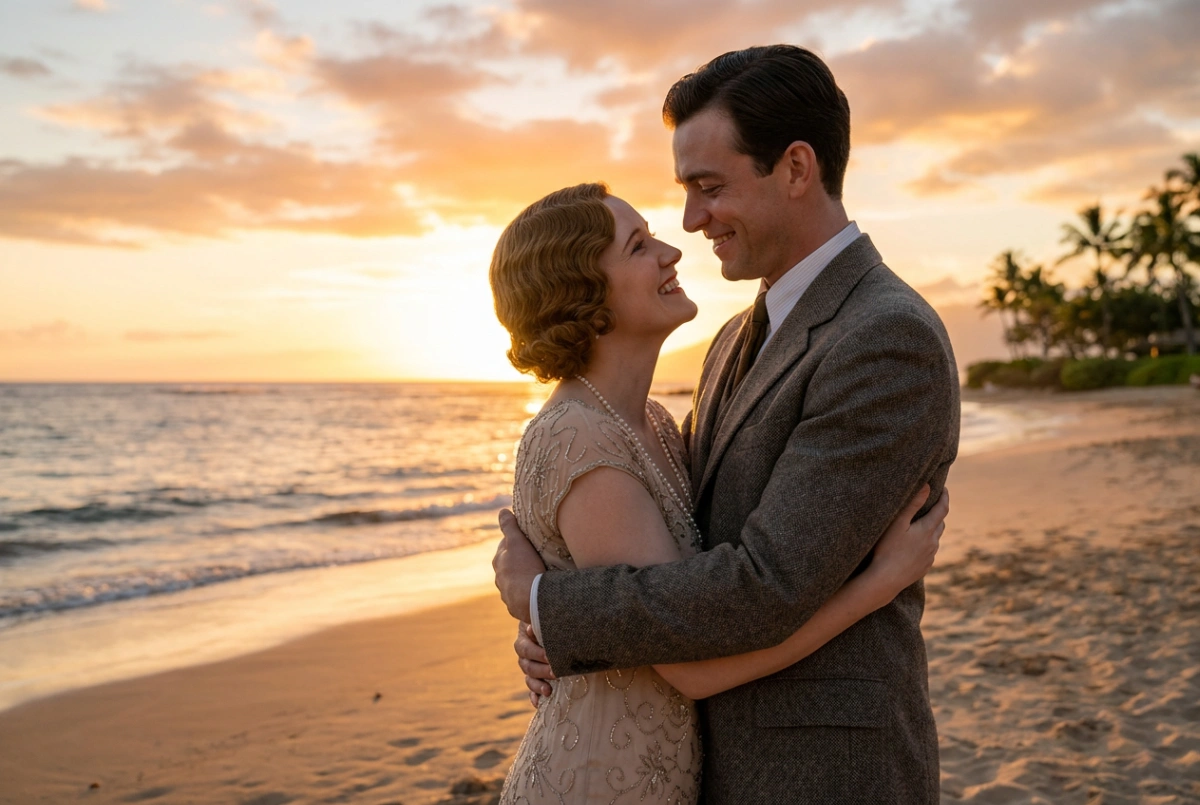
Scenario 1: Romantic Couple (Hugging or Kissing)
If you want to photoshop two people kissing from different photos without actually using Photoshop, try this:
- The Prompt: "Two people hugging and kissing warmly on a golden sunset beach, looking happy and in love, realistic photography, soft natural lighting, perfect face consistency, seamless blend."
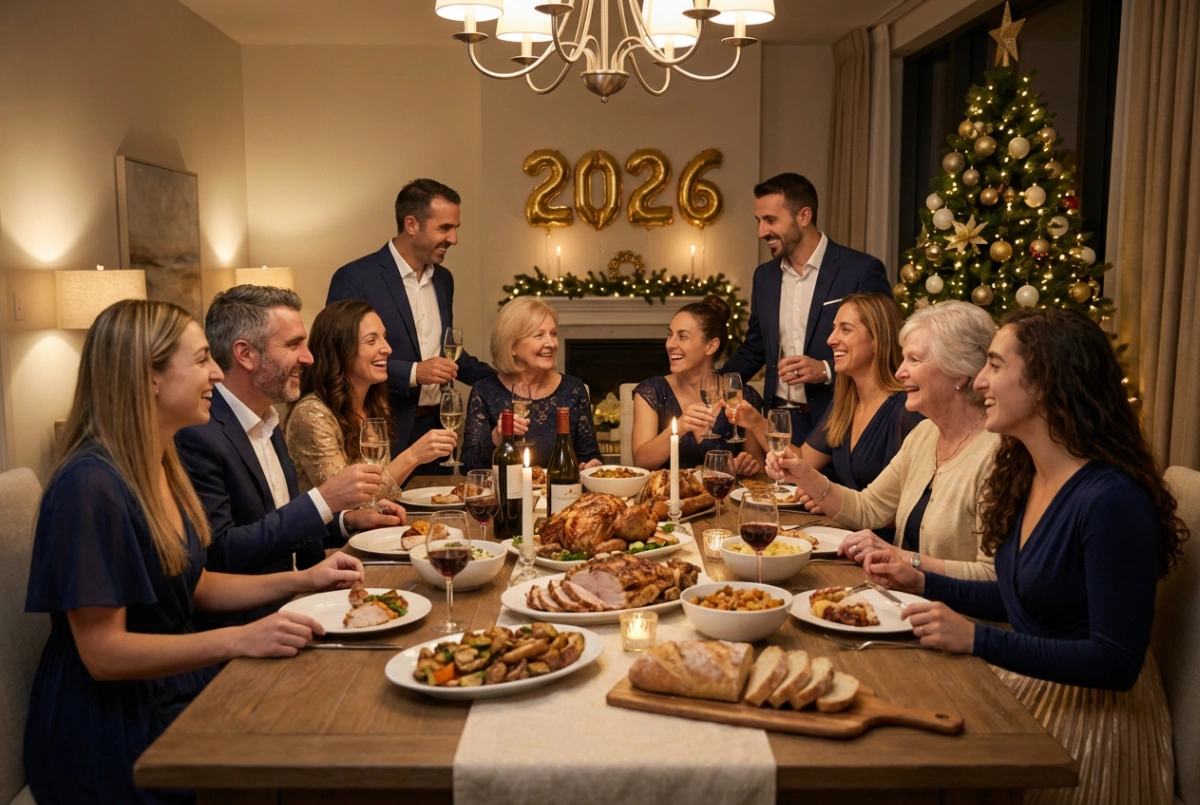
Scenario 2: Complete Family Reunion Portrait
Perfect for gathering siblings, parents, and grandparents into one cohesive shot when distance keeps you apart.
- The Prompt: "A complete family reunion portrait with everyone gathered around a cozy dinner table, warm indoor lighting, natural and loving expressions, DSLR photography."
Scenario 3: Memorial Photos (Honoring Passed Loved Ones)
A touching way to add a deceased loved one (like a grandparent) to a current wedding or graduation picture.
- The Prompt: "Adding a smiling loved one to a beautiful family wedding photo, gentle and respectful blend, everyone looking happy together, warm and touching emotional atmosphere."
Scenario 4: Holidays & Special Occasions
If you are creating greetings for specific holidays, you can guide the AI to add festive backgrounds and attire.
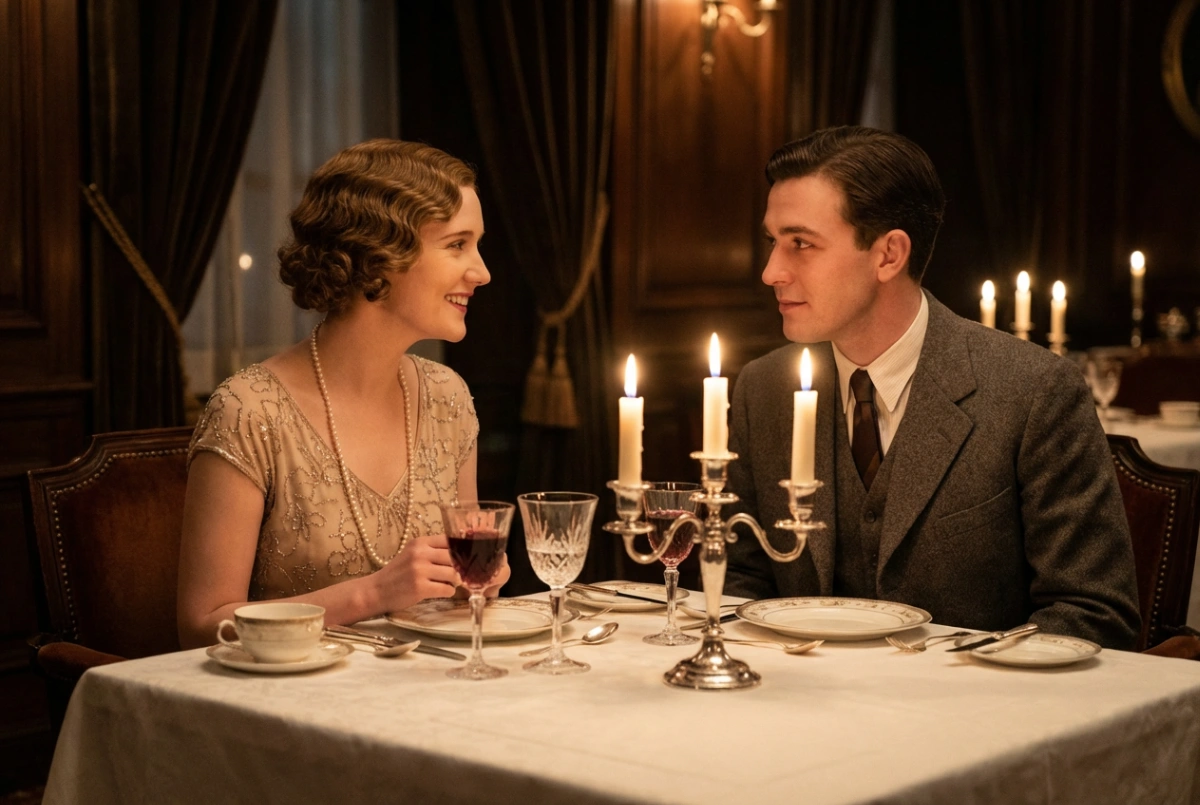
- Valentine's Date: "Two people sharing a romantic candlelit dinner at a luxury restaurant, elegant dresses and suits, cinematic aesthetic." (Check out our dedicated Valentine's Day Generator)
- Christmas Magic: "Two people exchanging gifts in front of a glowing Christmas tree, warm indoor holiday lights." (Try our AI Christmas Photo Generator)
- New Year Celebration: "Toasting with champagne glasses under bright New Year fireworks." (Perfect for our New Year Card Generator)
Comparison: AI Image Combiner vs. Traditional Methods
| Feature | AI-Powered Image Combiners | Traditional Photoshop | Simple Collage Apps |
|---|---|---|---|
| Skill Required | None (1-Click) | Expert Level (Difficult) | None |
| Visual Result | Seamless Fusion (Realistic) | Realistic (If skilled) | Fake (Paper cutout look) |
| Lighting Match | Auto-Correction | Manual Editing (Hours) | No (Mismatched lighting) |
| Time | in just a few minutes (30s–3min) | 1-2 Hours | 1 Minute |
| Cost | Free Trial Available | Expensive Subscription | Free but low quality |
Frequently Asked Questions (FAQs)
Q: How can I put two pictures together without Photoshop?
A: You can easily put two pictures together without Photoshop by using AI tools like ImageCombiner AI, Canva, or Fotor. Simply upload your photos, use background removal tools, or let the AI automatically generate a combined scene with matched lighting.
Q: Is there a free AI app to put two people together?
A: Yes! Tools like Canva offer free basic manual collage features. For advanced, realistic AI blending (where people look like they are actually interacting), ImageCombiner AI offers a free trial to generate previews instantly.
Q: Can AI make a couple photo from two separate photos?
A: Absolutely. By selecting a romantic template or using prompts like "couple hugging," AI analyzes faces from separate photos and generates a completely new, hyper-realistic image of the two individuals interacting in the same frame.
Q: Will the result look fake or like a sticker?
A: No. Unlike old-school editing apps that just paste a cutout, ImageCombiner AI uses "Deep Blending" technology. It doesn't just paste one photo onto another; it re-renders the pixels where the subjects meet, adjusting color temperature, shadows, and edge smoothness for a photorealistic finish.
Q: Is it free to try, and can I get high-resolution downloads?
A: Yes, you can generate previews for free to see the magic yourself. Once you are happy with the result, we offer affordable Mini Packs (starting at just $4.99) for users who want to remove watermarks and download in 4K Ultra-HD resolution for high-quality printing and framing.
Start Merging Your Photos Today
Don't let distance, time, or missed opportunities separate you from the people you love. Whether it's for a romantic post or a cherished family keepsake, AI makes it possible.
Join 10,000+ users creating memories today