8 Best Free AI Tools to Combine Two Photos into One (2026 Review)
Let’s be honest, most software that promises to "combine two photos" just slaps one image on top of another like a cheap digital sticker.
When looking for the perfect AI tool to merge two photos of people, you usually face three frustrating scenarios: the tool is too complicated (requiring Photoshop skills), it produces unnatural, distorted, and inconsistent faces, or it generates images with low resolution (not supporting 2K and 4K resolutions).
We know this frustration intimately because we experienced it firsthand. It is exactly why our team built Image Combiner AI.
However, to ensure we are offering the absolute best solution on the market, we rigorously tested over 30 major AI Image Combiners available in 2026. This article is our honest, no-fluff breakdown of the 8 best free AI Image Merging tools to combine two photos into one. Whether you need a quick, seamless blend of two people, a family memory restoration, or a complex graphic design layout, here is everything you need to know.
Quick Comparison Table: Top Free AI Photo Combiners in 2026
To give you a quick overview, we compared the top 8 tools on the market, focusing strictly on AI blending quality, maximum output resolution, and overall user experience.
| AI Tool | Best For | Blending Realism | Max Resolution | Ease of Use | Max Images |
|---|---|---|---|---|---|
| 🏆 Image Combiner AI | Seamless Human & Family Merges | ⭐⭐⭐⭐⭐ | Up to 4K | 4.8/5 | Up to 9 |
| Canva AI | Social Media Collages | ⭐⭐⭐ | 1080p | 3.5/5 | Unlimited |
| Adobe Express | Traditional Grid Joins | ⭐⭐ | 1080p | 2.5/5 | Unlimited |
| Fotor AI | All-in-One Edits | ⭐⭐⭐⭐ | Up to 4K | 4.2/5 | 2 or more, depending on the model |
| ImagineArt | Artistic & Fantasy Blends | ⭐⭐⭐⭐ | 2K | 4.0/5 | 2 |
| Media.io | Basic Media File Conversion | ⭐⭐⭐ | Low | 4.5/5 | 2 or more, depending on the model |
| VisualGPT.io | E-commerce and marketing | ⭐⭐⭐ | Low | 3.8/5 | Up to 4 |
| Overchat.ai | Poor UX & Paywalls | ⭐⭐ | Low | 2.0/5 | 2 |
(Scroll horizontally → to view the full table)
How We Tested (And Why We Built the AI Image Combiner)
To keep this comparison 100% fair, we used the exact same set of photos across every single tool we tested (One male photo and one female photo).
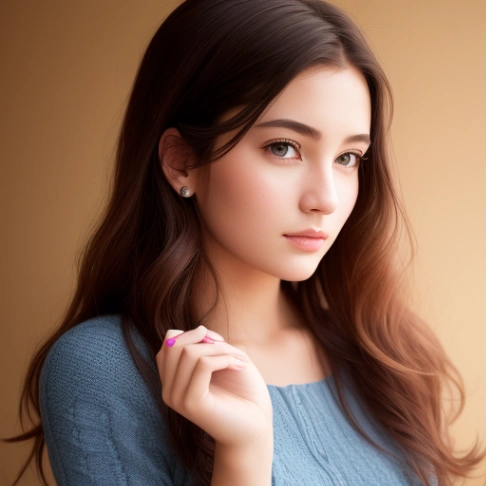
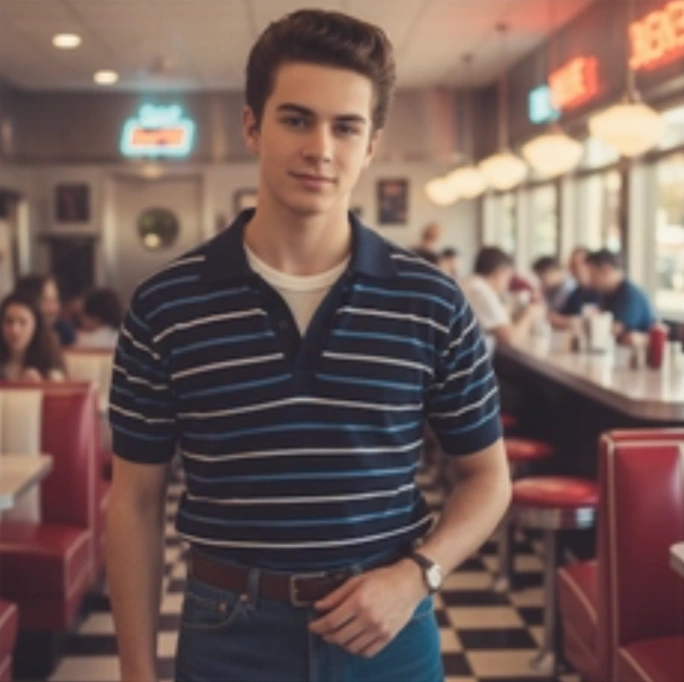
Our testing criteria were strict. We looked for:
- Zero learning curve for non-designers.
- Realistic edge blending and perfect lighting matching.
- Facial consistency without the dreaded "sticker effect".
What we found was surprising. Many multi-million-dollar platforms struggle with facial consistency, over-stylize the images into paintings, or limit you to low-resolution downloads. Because we couldn't find a lightweight, purpose-built tool dedicated solely to fusing photos flawlessly, we built our own.
Below is our honest review of the top contenders.
8 Best Free AI Tools to Combine Two Photos into One
1. Image Combiner AI - Best Overall for High Definition, Seamless Blends
Image Combiner AI is our flagship tool, designed with one singular purpose: to merge two or multiple photos together as flawlessly and naturally as possible. Unlike heavy editing suites with confusing timelines or layers, our tool requires zero design experience. You can create hyper-realistic, professional-grade fusions effortlessly.
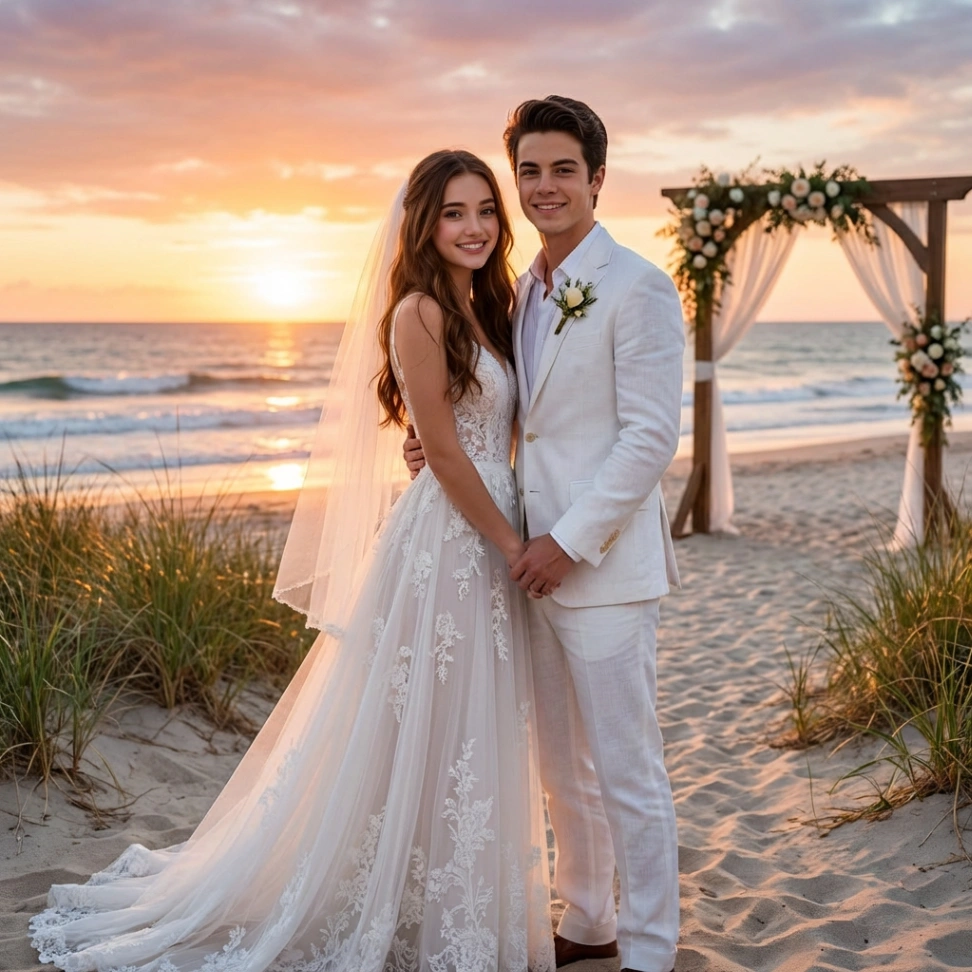
- How it Works: Upload your images to Image 1 and Image 2 (or add up to 9 images), choose a template or enter a custom prompt, and let the AI combine two images into one seamless composition by blending lighting and backgrounds.
- Key Features:
- Ultra-High Resolution: Supports crystal-clear 1K, 2K, and true 4K high-definition downloads.
- Multi-Image Support: You are not limited to two photos; you can seamlessly merge anywhere from 2 to 9 images at once.
- Rich Style Templates: Choose from ready-made, natural environments like Put Two People Together, Valentine, Family & Memories, Happy New Year, and Christmas.
- Bonus Power: Automatically repairs and enhances old photos during the merge, and can even generate an animated Couple Video from your combined photo with the Image to Video Generator!
- Pros: 100% free preview, realistic edge blending and lighting matching, completely eliminating the "sticker effect" and maintaining strict facial consistency.
- Cons: Laser-focused strictly on photo merging and enhancement (does not include manual text or vector drawing tools).
👉 Try Image Combiner AI for Free Now
2. Canva AI (Magic Studio) - Best for Social Media Creators
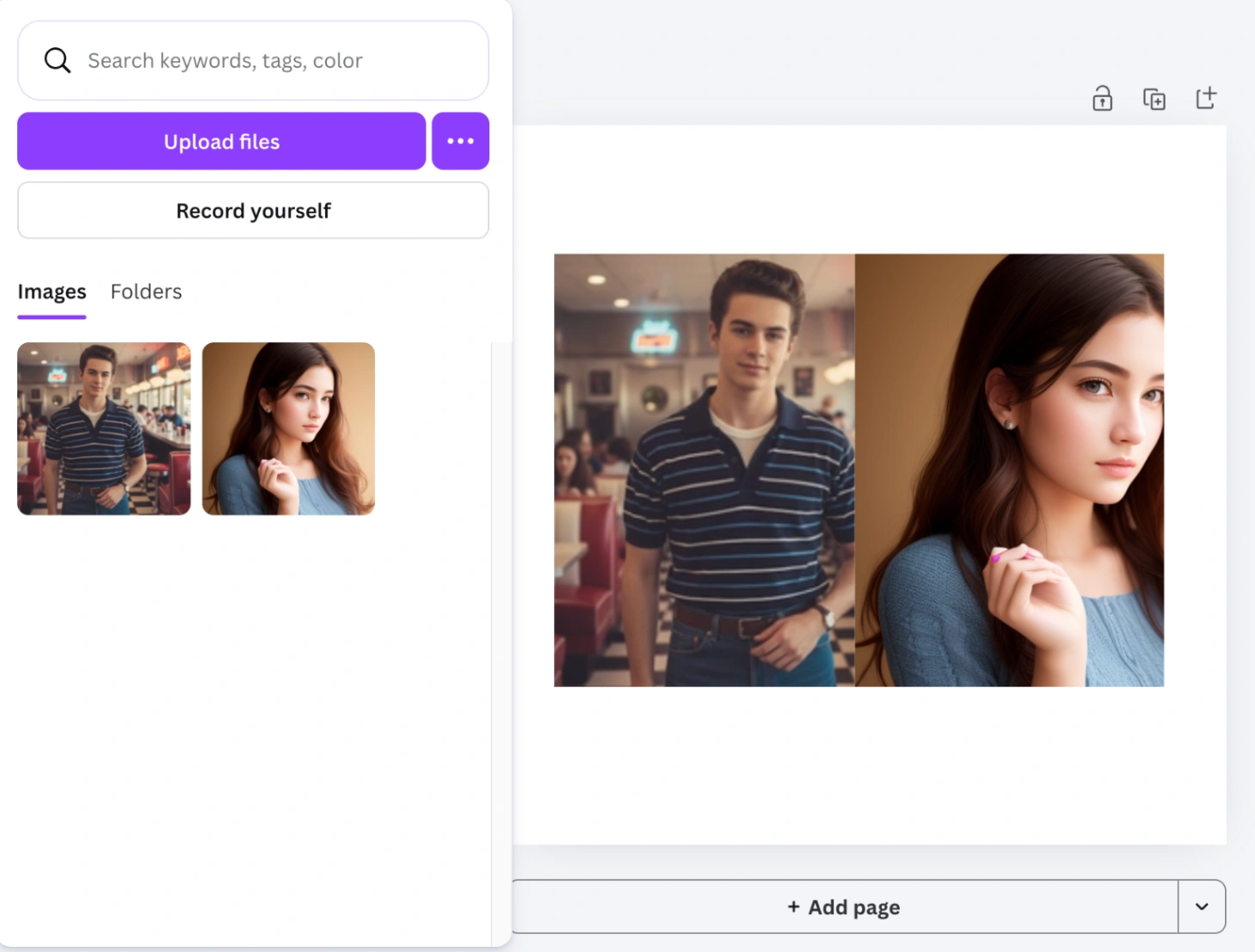
Canva has revolutionized online design, and its Magic Edit features are excellent for creating Instagram posts, YouTube thumbnails, and marketing materials.
- Pros: Offers a massive library of templates, fonts, and additional design assets. Great if you need to add typography over your combined images.
- Cons: While Canva is a powerhouse, trying to merge two people seamlessly requires a lot of manual masking, drag-and-dropping, and tweaking. The results are decent, but they often look more like a classic collage rather than a true seamless AI fusion, and high-res downloads often require a Canva Pro subscription.
3. Adobe Express - Best for Professional Grid Joins
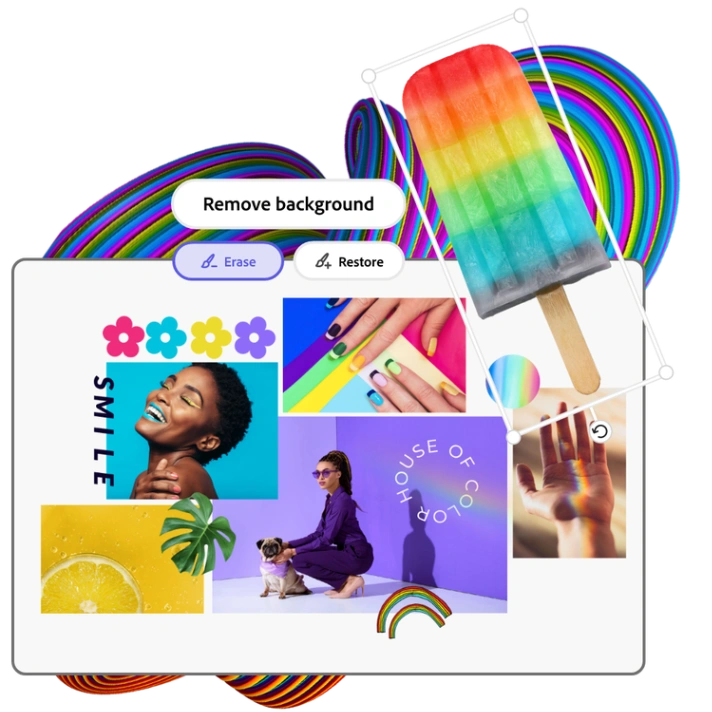
Adobe is the undisputed king of photo editing. While Adobe Express is a powerhouse backed by Photoshop technology, its "combine image" feature leans heavily toward traditional layouts.
- Pros: Professional-grade output with a highly polished interface and integration with the Adobe ecosystem.
- Cons: Functions more like an advanced collage maker rather than a true AI photo merger. When we uploaded our test photos, it required manual background removal and lacked automatic AI lighting matching for overlapping subjects. The final result looked like two different photos pasted together rather than an intelligent, realistic blend.
4. Fotor AI Image Combiner - Best for All-in-One Edits
Fotor is a comprehensive online photo editor that has integrated strong AI features, allowing you to merge photos and apply artistic filters over the top.
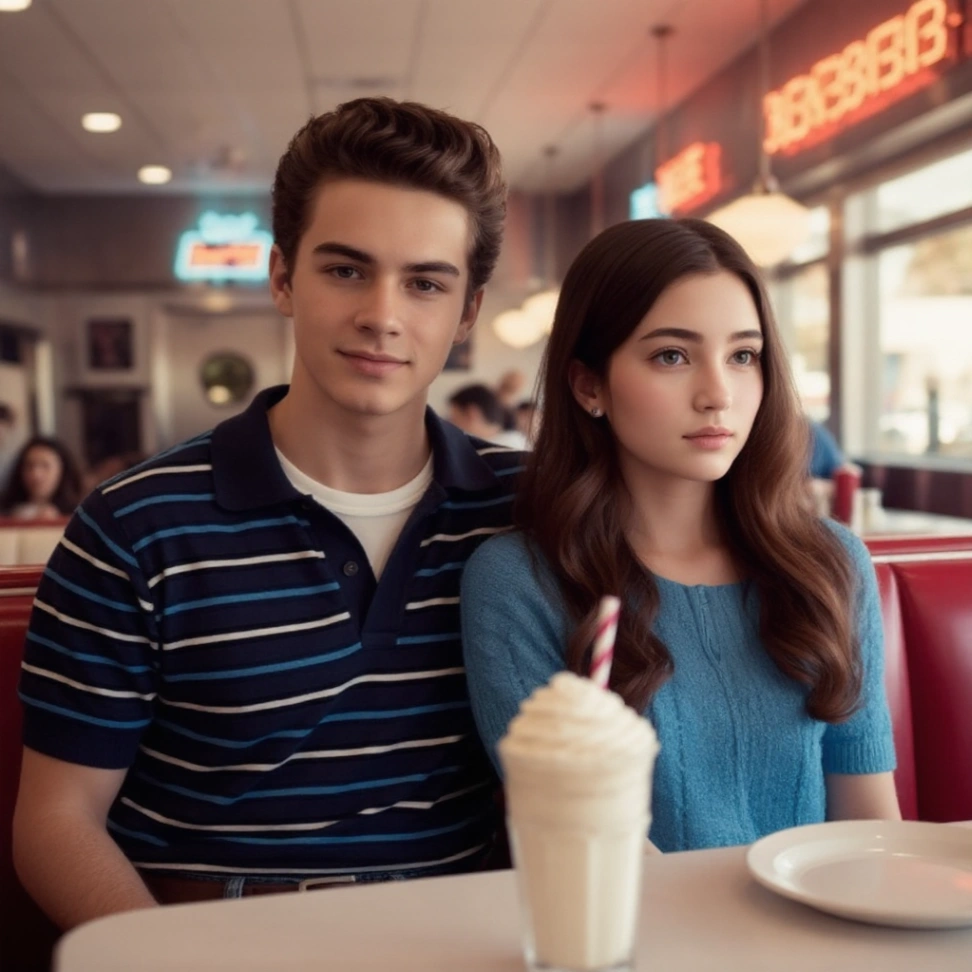
- Pros: It offers a wide variety of photo enhancement tools and color grading filters, and the image compositing results are quite good. It provides users with multiple AI image models to choose from, capable of generating high-quality artistic images.
- Cons: Fotor's free version has extremely limited functionality, and advanced AI image models are unavailable. Credits are consumed very quickly, the workspace is filled with ads, and some of the images appear overly artistic and heavily photoshopped. Most importantly, its interface is geared towards professional users, making it somewhat complex for average users.
5. ImagineArt - Best for Artistic & Fantasy Blends
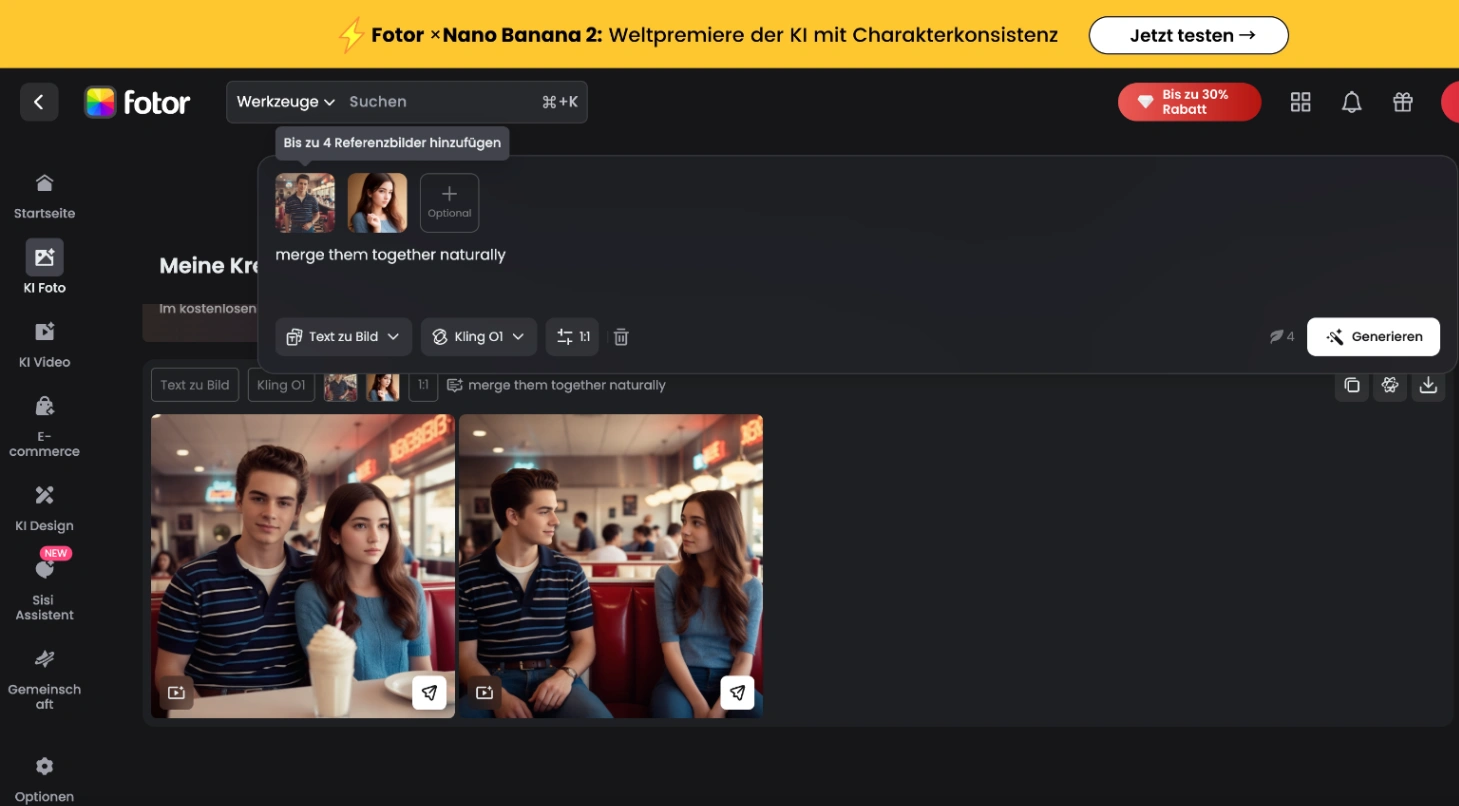
Known primarily for its text-to-image generation, ImagineArt’s image combiner leans heavily into stylized, artistic aesthetics.
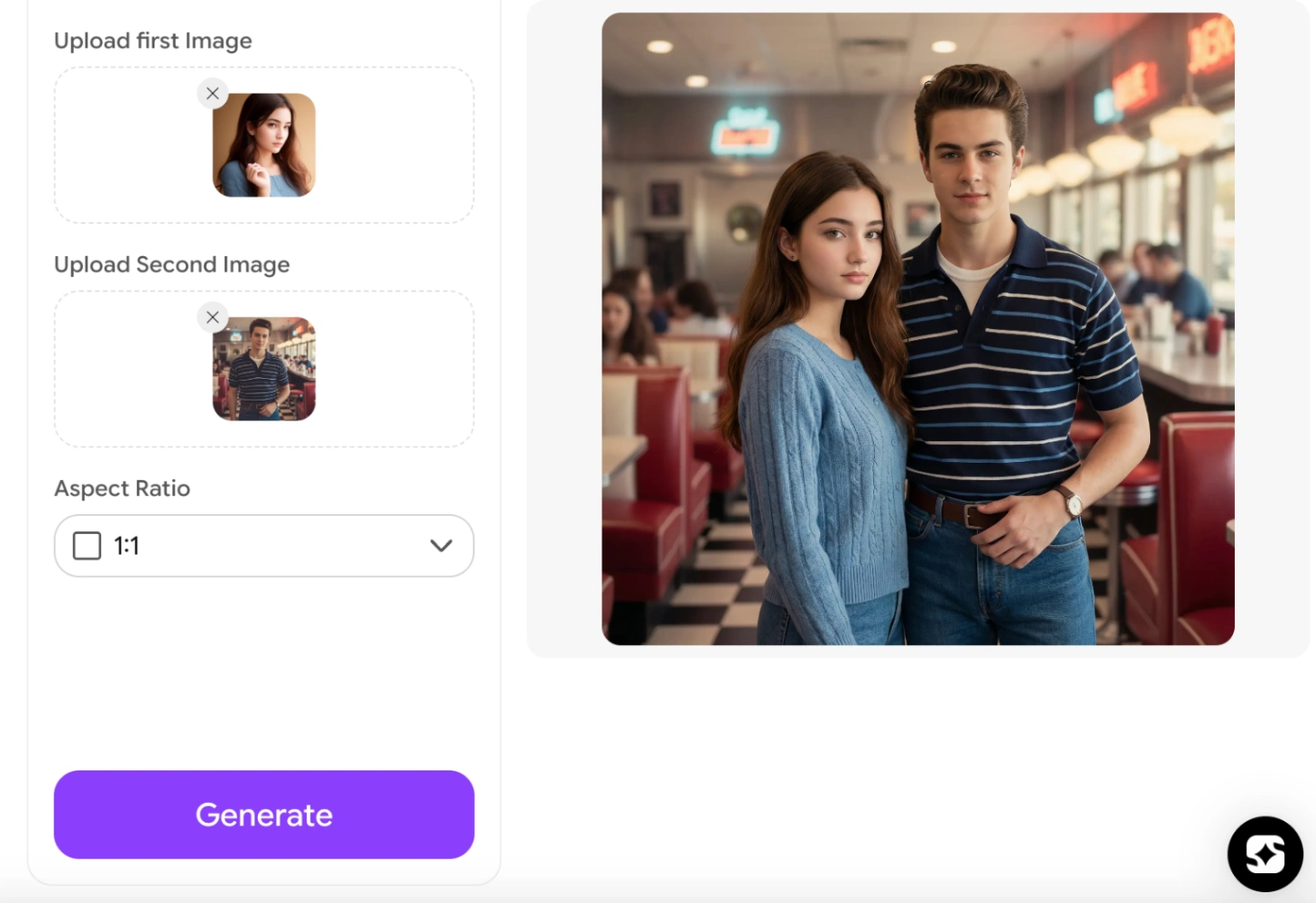
- Pros: Excellent if you want to turn two photos into a digital painting, an illustration, or a fantasy landscape.
- Cons: It fails at realism. If you just want two people to look like they are standing next to each other naturally, the AI overcomplicates it and easily alters facial features to resemble those of a different person. Furthermore, it limits you to merging only 2 images, lacks text-prompt guidance for new effects, and offers no diverse style templates - only basic aspect ratio settings.
6. Media.io AI Image Combiner - Best for Media File Conversions
Media.io started as a video and audio converter but has branched into AI image editing. It does a decent job of basic object and product placement.
- Pros: Clean interface that is part of a larger suite of helpful multimedia conversion tools.
- Cons: The AI blending lacks depth. Edges are noticeably blurred to hide transitions, and free users face strict limitations resulting in heavily compressed, pixelated final images.
7. VisualGPT.io - Fast Multi-Image Composer
VisualGPT Combiner is a free AI tool suitable for quickly creating realistic product background images for e-commerce, social media, and marketing. But it severely struggles with real human photos, there is still room for improvement in its fine-grained composition control and ability to handle complex scenes.
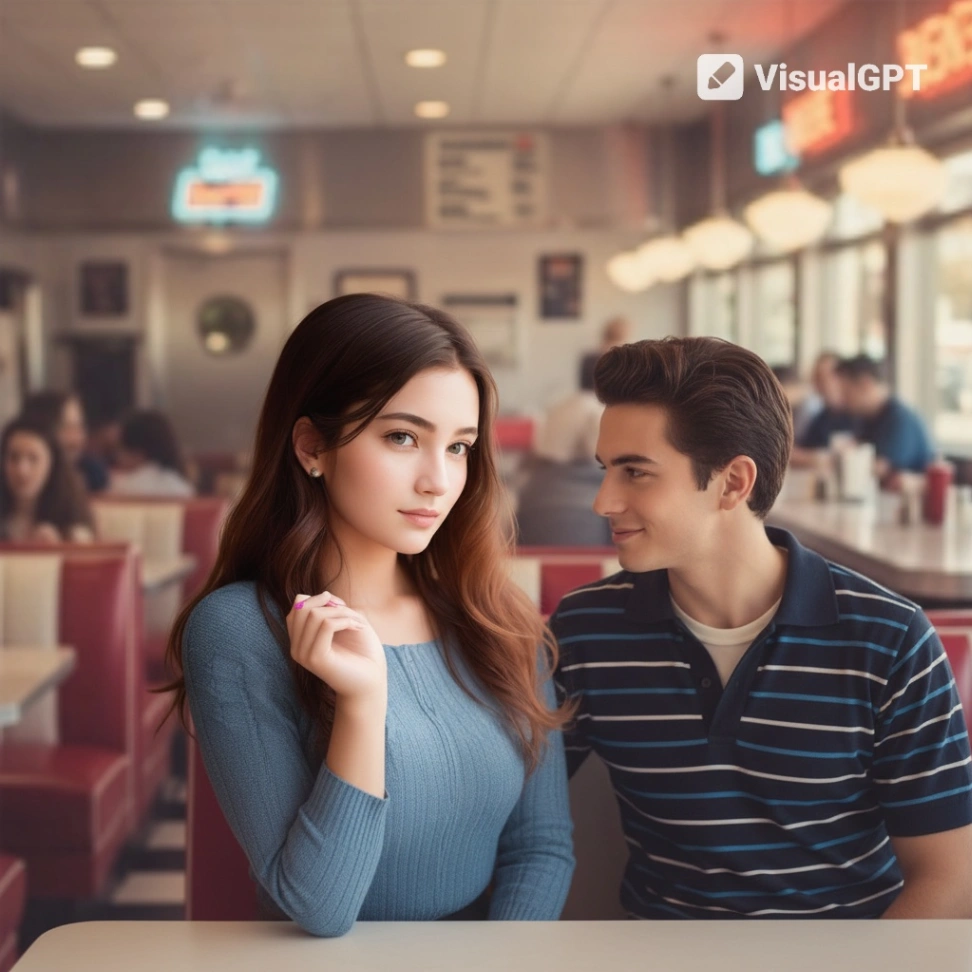
- Pros: It offers several free trial opportunities, and the image synthesis speed is relatively fast.
- Cons: In our tests, the faces in the combined image were inconsistent, and the merging of two people looked unnatural, making the composite image appear obviously fake. (For example, in a couple's photo we tested, the proportions of the two people were incorrect; one person's face was replaced with the other's.)
8. Overchat.ai - Avoid Due to Poor UX and Hidden Paywalls
Overchat.ai offers a description-driven AI combiner, but our testing experience was highly frustrating.
- Pros: Offers a flexible prompt-based approach for creative ideas.
- Cons: The experience was frustrating due to mandatory login requirements, multiple page redirects, and frequent upgrade prompts that appeared before any meaningful preview could be generated.
How to Merge Two Photos Seamlessly with AI (Step-by-Step)
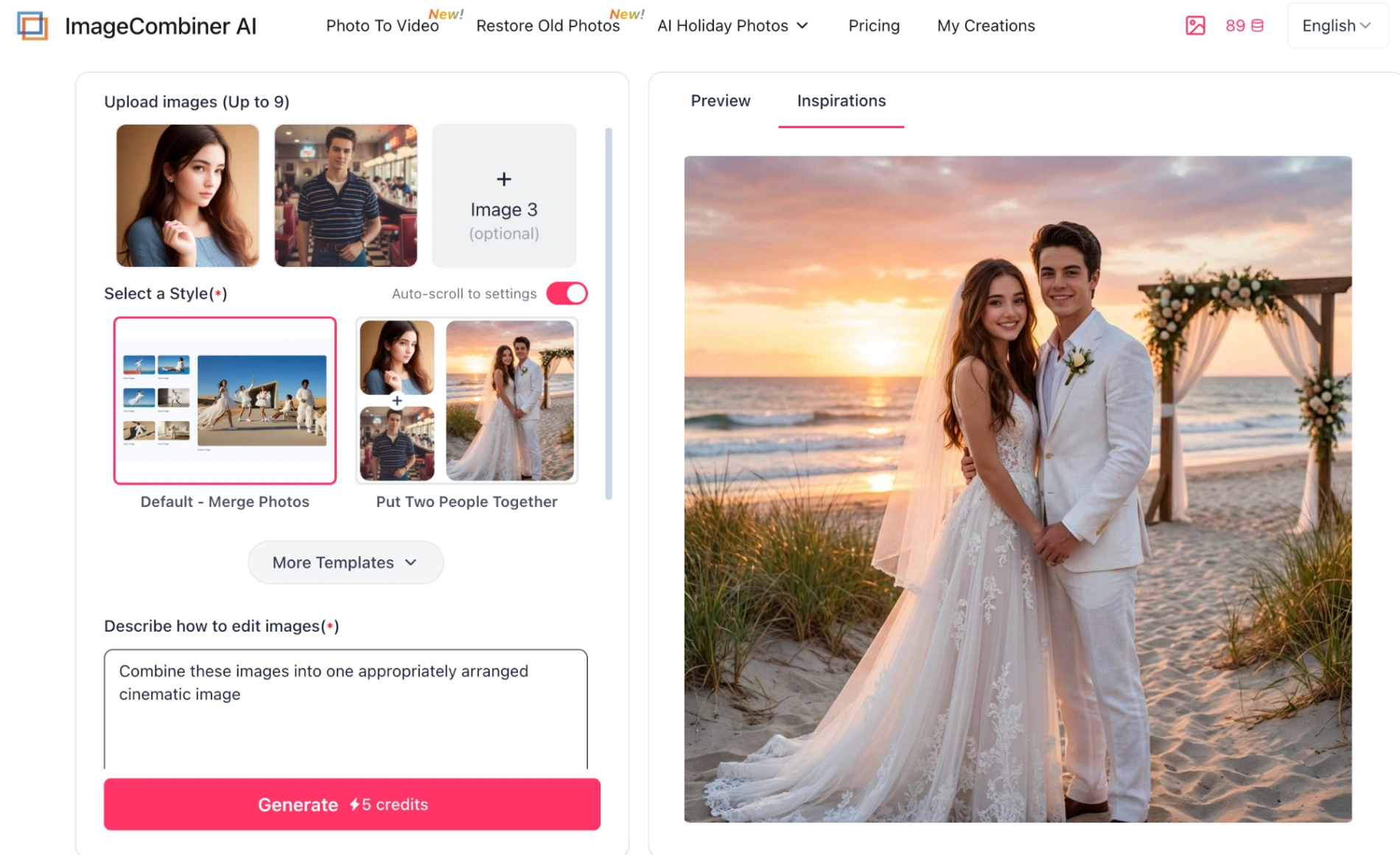
If you want to skip the clunky interfaces and get a 2K or 4K, hyper-realistic blend, here is exactly how to combine two or more photos using our purpose-built ai tool. The AI Photo Merger requires zero design skills:
- Step 1: Go to the Image Combiner AI homepage (free starter credits available on login).
- Step 2: Upload your primary photo to Image 1 and add your second photo to Image 2 (you can upload up to 9 images in total to combine multiple images).
- Step 3: Choose a template such as Put Two People Together, Valentine's Sweetheart, or Custom Wedding Photo, or customize the prompt in the "Describe how to edit images" field.
- Step 4: Check the credit cost and click "Generate" to create your image. The AI blends lighting and backgrounds to help merge your photos seamlessly.
- Step 5: Preview your result and download your high-resolution combined image.
Expert Tips for Getting the Best AI Blending Results
To ensure your combined photos look 100% natural and breathtaking, keep these best practices in mind:
- Use High-Resolution Source Photos: The better the quality of the faces you upload, the more realistic the final AI generation will be.
- Trust the AI's Lighting Adjustments: Older tools required you to manually match exposure. With modern 2026 AI, let the Image Combiner handle the lighting consistency automatically to prevent the fake "sticker effect". This is especially important when using an AI photo merger that supports realistic photo combiner features like ours.
- Explore Environmental Templates: Instead of a plain background, use templates like Christmas or Valentine to instantly place your combined subjects into beautiful, cohesive, and natural environments.
Popular Creative Ways to Combine Two or More Images
Not sure what to create? Here is how thousands of users are currently utilizing Image Combiner AI:
- Bridging the Distance: Put two long-distance partners together into one romantic, realistic frame.
- Honoring Lost Loved Ones: Seamlessly add a passed relative into a modern family portrait using our built-in Old Photo Repair feature.
- Group Photos Made Easy: Couldn't get everyone to look at the camera at the same time? Upload up to 9 different photos of your friends and let the AI build the perfect group shot.
Frequently Asked Questions (FAQs)
Q: Will the merged photo look like a cheap sticker?
No. Our AI Image Combiner is specifically trained for realistic edge blending and lighting matching. It ensures flawless facial consistency, so clothes, shadows, and faces blend naturally into the environment. This is why many users choose ImageCombiner AI for their couple, family, and memorial photos every week.
Q: Can I combine more than two photos at once?
Yes. With Image Combiner AI, you can easily merge 2 to 9 photos in a single generation. This makes it the perfect tool for creating large family portraits, group photos, or reunion shots, even if the original pictures were taken at different times or in varying lighting. Our AI handles the realistic blending and ensures everyone looks naturally placed in one beautiful 4K frame.
Q: Do I need to be a graphic designer or know how to write complex prompts?
Absolutely not. Our initial goal in developing this AI photo merger was to allow even complete beginners to achieve professional-level results. You simply choose a template, select the effects you want to generate from the options (such as how people interact and what the background should be), upload your photo, and let the intelligent AI handle the rest.
Q: Are my uploaded personal photos private and safe?
Yes. Your privacy is our top priority. Images are processed securely, and only you can access the photos you've generated. Through the "My Creations" menu, you can easily manage your AI-generated images and videos yourself - whether downloading or deleting them.
Conclusion: Ready to Merge Your Photos?
After testing all 8 Image merging tools with the same pair of photos, one thing became crystal clear: when your only goal is realistic people merging with 4K quality and zero sticker effect, a dedicated tool outperforms general design platforms every single time.
Finding the right AI tool depends entirely on your end goal. If you need to build complex social media graphics with heavy text overlay, Canva is a great choice. If you want a traditional side-by-side layout for a Pinterest board, Adobe Express works well.
But, if your only goal is to flawlessly, realistically, and quickly merge 2 to 9 photos into one natural scene, complete with 2K or 4K downloads, perfect facial consistency, old photo restoration, and zero "sticker effect", nothing beats a purpose-built solution.
👉 Start Blending Your Photos for Free with Image Combiner AI Today!